Days Since – Countdown Widget
Data deletion instructions
Follow these steps to permanently delete the app data stored on your device.
Delete data inside the app
- 1
Open Days Since – Countdown Widget on your Android device.
- 2
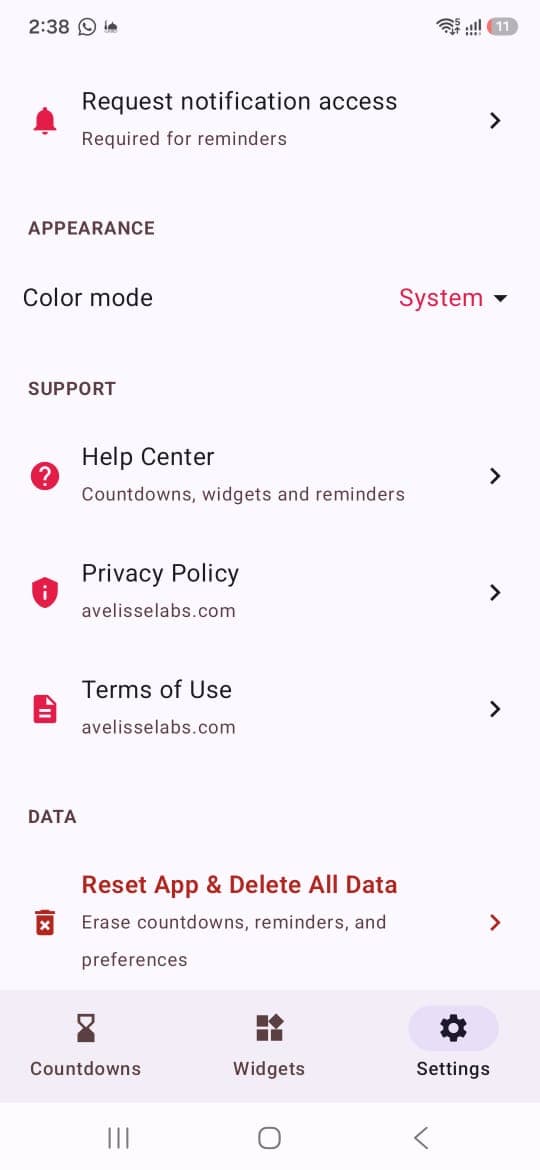
Select Settings in the bottom navigation.
- 3
Scroll to the Data section and tap Reset App & Delete All Data.
- 4
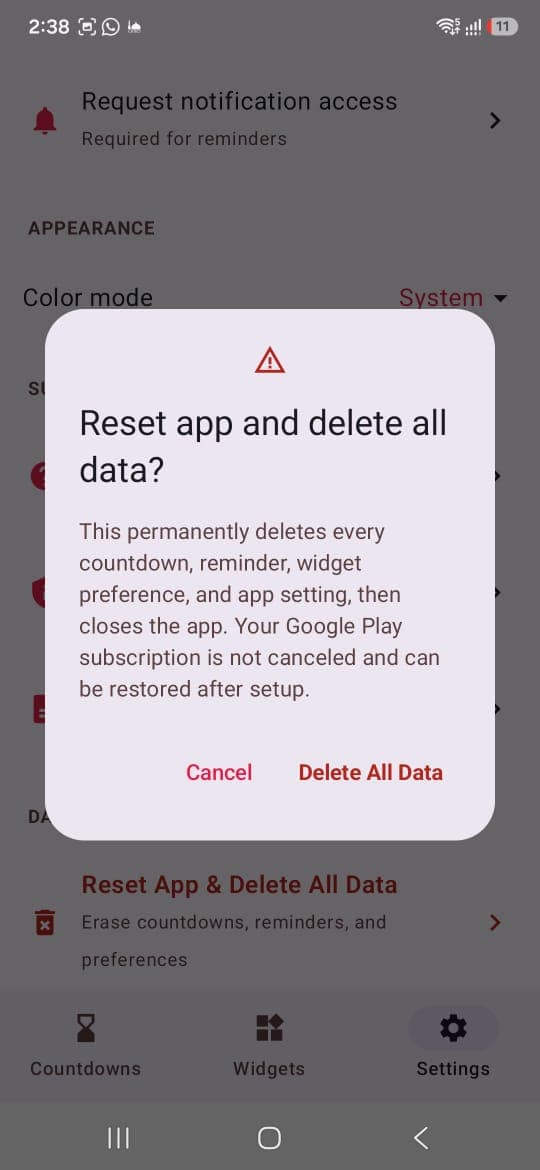
Review the confirmation message, then tap Delete All Data to confirm.
Visual guide
Where to find the deletion control
1Open Settings and select the deletion option
2Confirm Delete All Data
Need help?
If you cannot access the app or need help with a data-deletion request, contact Avelisse Labs at support@avelisselabs.com.
Last updated October 5, 2026